zwhd2013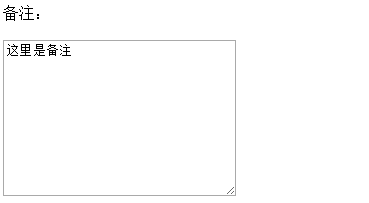
在日常开发过程中,有许多用到表单的地方。比如登录,注册,比如支付,填写订单,比如后台管理等等。
使用jQuery来获取表单的值是比较常见的做法。
常见表单
单行文字域:<input type=’text’>
<input type="text" id='name' value='pelli'>

密码域:<input type=’password’>
<input type="password" id='pass' value='password'>

单选:<input type=’radio’ name=’sex’>男 <input type=’radio’ name=’sex’>女
<input type="radio" name='sex' id='man' value="1">
<label for="man">男</label>
<input type="radio" name='sex' id='woman' value="0">
<label for="woman">女</label>

多选:
<input type=’checkbox’ value=’1′ name=’intrest’>篮球
<input type=’checkbox’ value=’2′ name=’intrest’>足球
<input type=’checkbox’ value=’3′ name=’intrest’>皮球
<input type="checkbox" value='1' name='intrest' id='ball1'>
<label for="ball1">篮球</label>
<input type="checkbox" value='2' name='intrest' id='ball2'>
<label for="ball2">羽毛球</label>
<input type="checkbox" value='3' name='intrest' id='ball3'>
<label for="ball3">手球</label>
<input type="checkbox" value='4' name='intrest' id='ball4'>
<label for="ball4">乒乓球</label>
<input type="checkbox" value='5' name='intrest' id='ball5'>
<label for="ball5">足球</label>

下拉列表:
<select id=’drop’>
<option value=’1′>昨天</option>
<option value=’2′>今天</option>
<option value=’3′>明天</option>
</select>
<select name="city" id="city">
    <option value="1">北京</option>
    <option value="2">南京</option>
    <option value="3">上海</option>
    <option value="4">成都</option>
    <option value="5">西安</option>
</select>

多行文字域:
<textarea>这里可以写多行文字</textarea>
<textarea name="" id="remark" cols="30" rows="10">这里是备注</textarea>
用jQuery获取值
// 昵称
var name = $("#name").val();
console.log(name);

// 密码
var pass = $("#pass").val();
console.log(pass);

// 性别
var sex = $("input:radio:checked").val();
console.log(sex);

// 性别
var sex1 = checkAll($("input:radio"));
console.log(sex1);

// 兴趣
var hobby = checkAll($("input:checkbox"));
console.log(hobby);

// 城市
var city = $("#city").val();
console.log(city);

// 城市
var city1 = $("#city option:selected").val();
console.log(city1);

// 备注
var remark = $("#remark").val();
console.log(remark);
一个可以获取单选和多选的函数,返回值得数组
//获取单选或者多选的值,返回一个值得数组,如果没有值,返回空数组,参数inputlist是jQuery对象
function checkAll(inputlist){
    var arr = [];
    var num = inputlist.length;
    for(var i = 0; i < num; i++){
        if(inputlist.eq(i).is(":checked")){
            arr.push(inputlist.eq(i).val());
        }
    }
    return arr;
}
总结:
单行文字:$(“#text”).val();
密码:$(“#pass”).val();
单选:$(“input:radio:checked”).val();
多选:遍历 $(“input:checkbox”),判断是否选中
下拉:$(“#select”).val();
或者
$(“#select option:select”).val();
多行文字:$(“textarea”).val();